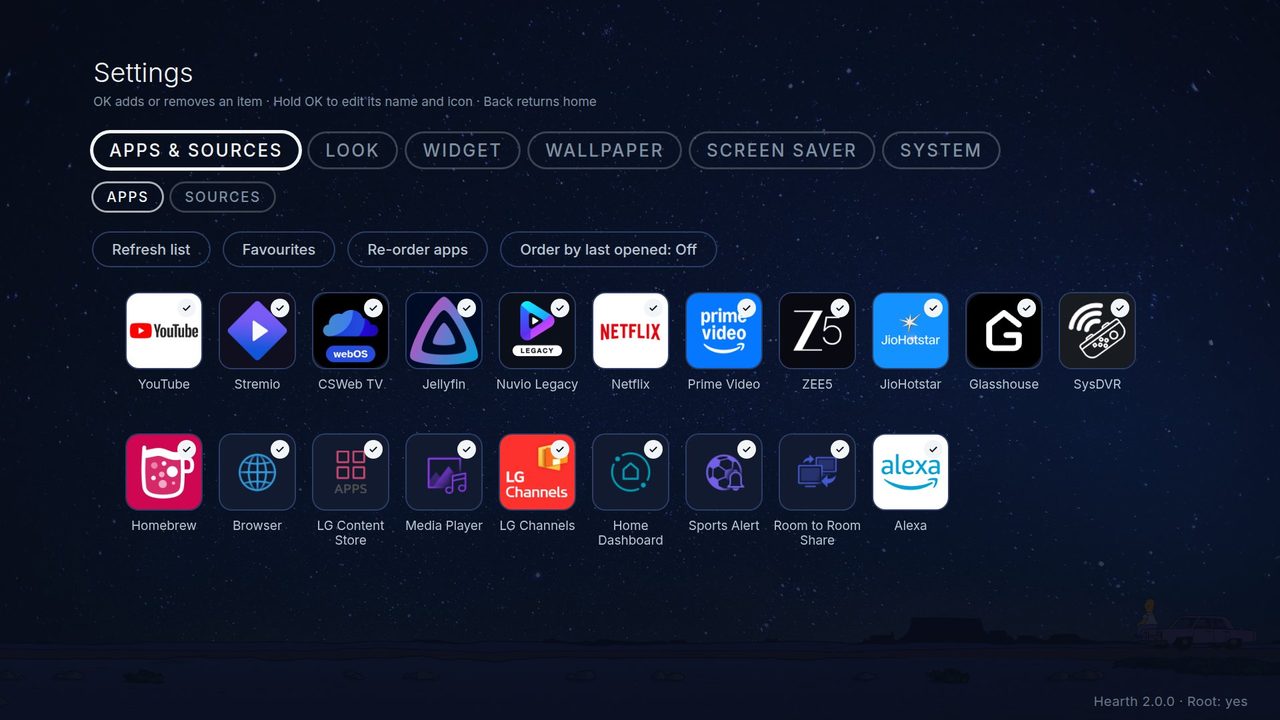
Everything Hearth can do
All of Hearth's choices live in Hearth Settings. Find it as the last tile on the home row, or on the home row's menu if you hid it. The pages below explain each part in simple words.
| Page | What you learn |
|---|---|
| Using Hearth | The remote keys, the home row, favourites, names and icons, Recent apps, quiet mode |
| Essentials, help and previews | The tab of your most used settings, the help text and the home preview |
| Look | Themes, icons, the row, app names, reset |
| Widget | The clock, the date and the weather |
| Wallpaper | The background picture or slideshow |
| Screen saver | Pictures and videos when the TV rests |
| Network folder | Pictures, themes and languages from a NAS or shared folder |
| System | Check for updates, language, Home button, remote buttons, start with the TV, memory, Debug tab |
| Without root | What works when the TV is not rooted |
| Custom themes | Make a whole new look in a zip file |
| Language files | Add your own language |
How Settings work. The tabs are at the top: Apps & Sources, Essentials, Look, Widget, Wallpaper, Screen saver, System. Press Left and Right on the tab bar to change tab. Some rows sit in groups (a folder of rows). Press OK to open a group. Press Back to close it. Rows that do not work on your TV are grey, and they tell you why. Press OK on a row to step through its choices, or Left/Right to change a number.